
Included with every Enhanced account
Office Docs, right in your inbox
Create, edit, and collaborate in real time on Word documents, spreadsheets, presentations and PDFs – all inside your Webmail. Save email attachments directly to your personal drive, or start a new document from scratch.
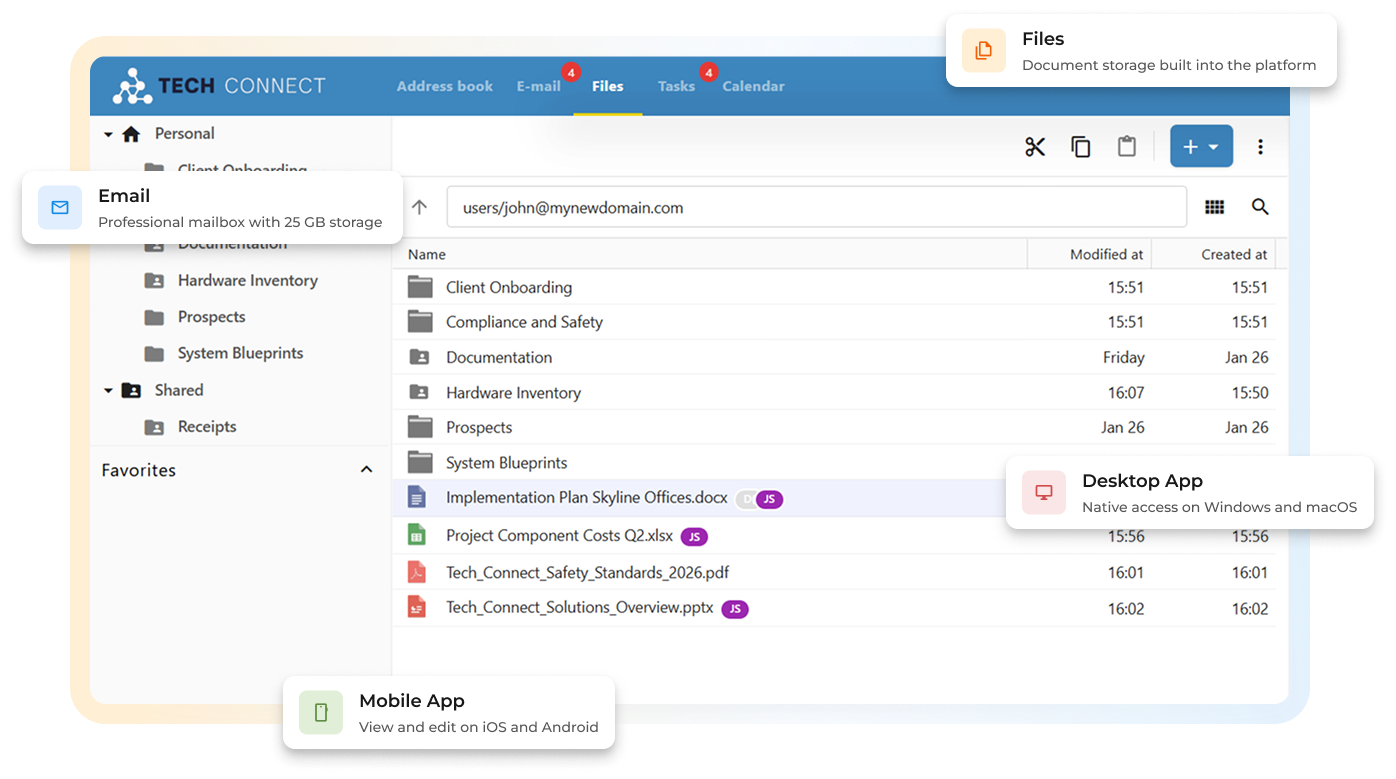
Your documents, managed right inside your Webmail.
Why pay for another app?

You're already paying twice

Files live in the wrong place

Smaller providers don't offer this
We built documents into your inbox.

No extra apps. No extra subscriptions. Here’s how it works.

Office Docs: document productivity, built in


Create & Edit
Work with DOCX, XLSX, PPTX and PDF files. Create from scratch or open existing documents online and offline. Right inside the platform.

Collaborate
One document. Real-time co-editing with live cursors and in-document chat keeps everyone on the same page. No back-and-forth required.

Share & Control
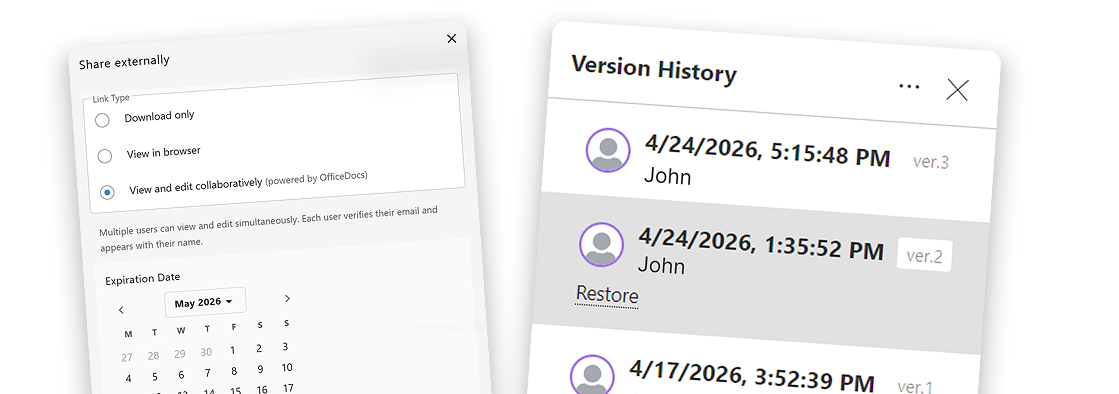
Share files internally or with external users. Set view-only or edit permissions and manage access at any time.
Access Anywhere
Webmail, desktop app, or mobile. The same files, the same features, wherever users are working.

Choose your level of document power
Every PolarisMail mailbox includes file storage. Enhanced mailboxes unlock the full suite: editing, collaboration, sharing, and version history.
Personal drive storage
Upload files to personal drive
Save email attachments to drive
Supported file formats
Word, Excel, PowerPoint, PDF
Create new documents in Webmail
Edit documents in Webmail
Real-time co-editing
Share files with team members
Internal sharing with permissions
External sharing via link
Version history
Restore any previous version
ONLYOFFICE desktop & mobile apps
Seamless sync with Webmail documents
Basic
$1.49/mo
5 GB
View & download
Enhanced
$2.49/mo
15 GB
Full editing
Unlock full document collaboration. Just $1 more than Basic
Upgrade from Basic to Enhanced and get real-time co-editing, version history, and desktop/mobile app compatibility. All included at no extra cost.
Built for real document work
Document Editing
Full editing. Every format.
Office Docs supports the formats your users already work with; no conversion, no compatibility issues.
Flexibility
Full formatting toolbar: fonts, tables, styles, and more
Create & Edit
Ease of use
Works in the browser: no software installation required


Real-time Collaboration
Work together, in the document.
No more sending files back and forth. Multiple users can edit the same document at the same time, and see each other doing it.
Co-editing
Live presence
In-document chat
Share on your terms
Sharing a document doesn’t mean losing control of it. Office Docs lets you define exactly who can do what.
Internal sharing
External sharing
Permission levels
Access management


Nothing gets lost
Every document keeps a full history of changes. Go back, compare, and restore, whenever you need to.
Version history
Restore any version
History access control
Same files. Every device.
Your documents live in your Webmail – accessible from any browser, on any device. For offline editing, they’re fully compatible with the free ONLYOFFICE apps.

In your browser
Open your Webmail on any device – laptop, tablet, phone, and your documents are right there. No installation required.


On your phone
Use the free ONLYOFFICE app for iOS or Android to review and edit documents on the go.




On your desktop
Install the free ONLYOFFICE Desktop Editor for Windows, macOS, or Linux. Edit documents offline: they sync automatically when you reconnect.

Get Started Now
Email, documents, and collaboration, from $2.49/month
“The amount of features included for the price is incredible.
I spent years paying more for less elsewhere, I just wish I had switched to PolarisMail earlier.”
